Routes
How routes follow the roads, stops, the fastest order and travel times.
It follows the roads#
Routes stick to the game's real roads and trails. When you're off the road, the route joins it where it's heading, not back at the closest bit behind you: across open ground, and around the fences and buildings in the way. Wander off the line to the road and it's worked out again from where you are, so the point where you join keeps up with you.
Mountains, cliffs and buildings get gone around (a stop inside a building, like an innkeeper, is still reached), and a walled-off valley is entered through its actual way in. No more running straight at a mountain and wondering why you're stuck.
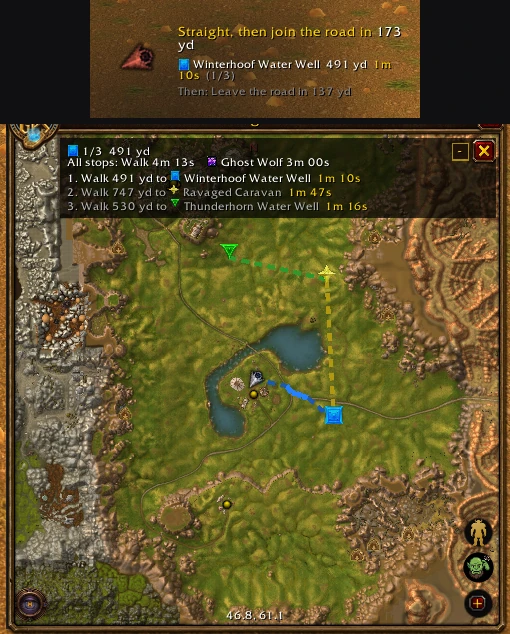
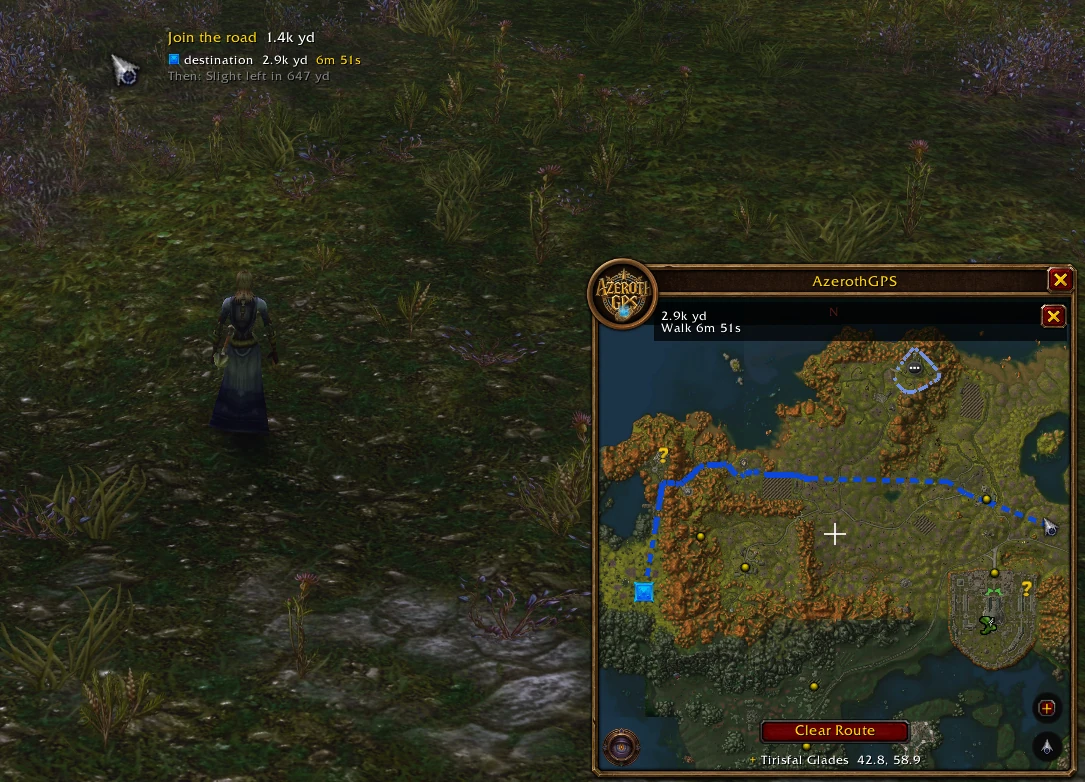
The route updates as you move, and the part you've already walked disappears behind you.
When there's no way there#
If there's honestly no way to walk somewhere (no roads join up and a wall or a mountain is in the way), AzerothGPS says No way there found rather than drawing a straight line over the top. A line across open ground or water, like swimming out to an island, still counts as a way.
Stops#
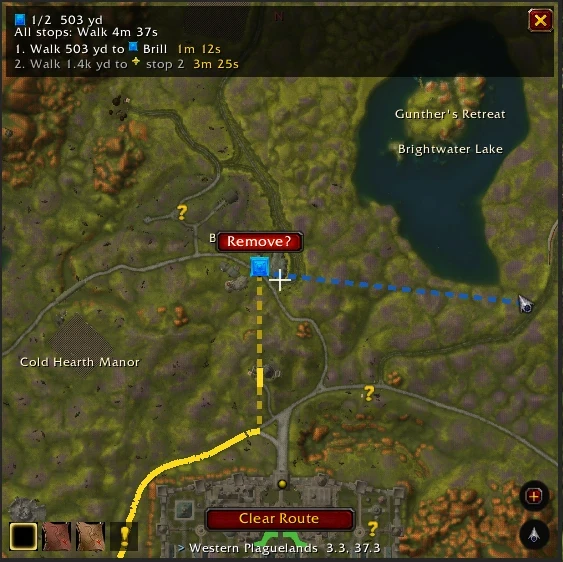
- Add stops by double-clicking the map (even while a route is running), with search, or by pasting
/waylines. Up to 100 per trip. - Remove one by right-clicking its marker. Clear Route or
/agps clearcancels the whole trip.
Fastest order#
On by default: your stops get sorted into the quickest trip, and reshuffled on the way if a different order turns out clearly faster. The route is worked out and drawn 3 stops ahead (1 to 8, Stops routed and drawn ahead under Options → Performance; fewer means less work for the addon), and the next one comes in as you arrive. Every stop keeps its marker on the map either way. In cities you can keep your own order instead (Options → Routing).
The route panel#
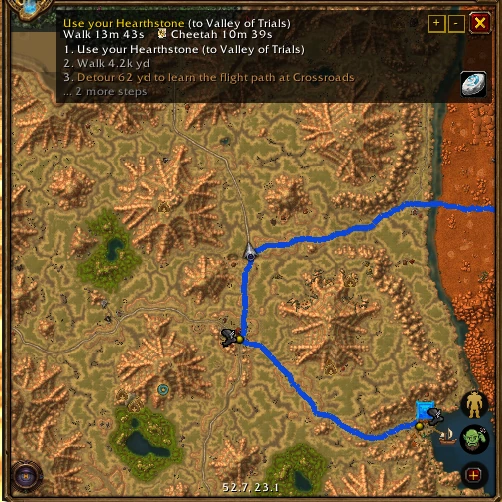
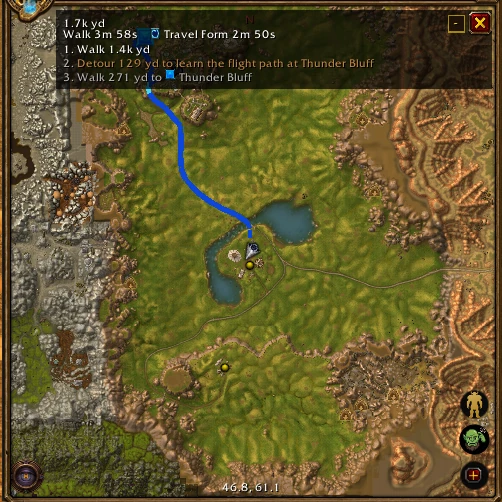
The panel at the top of the map lists the steps ("Walk 300 yd to the zeppelin", "Take the zeppelin to Orgrimmar") with a time for each stop. - shrinks it down to just the trip's times, and its ✕ hides it (there's an option to make it cancel the route instead).
Travel times#
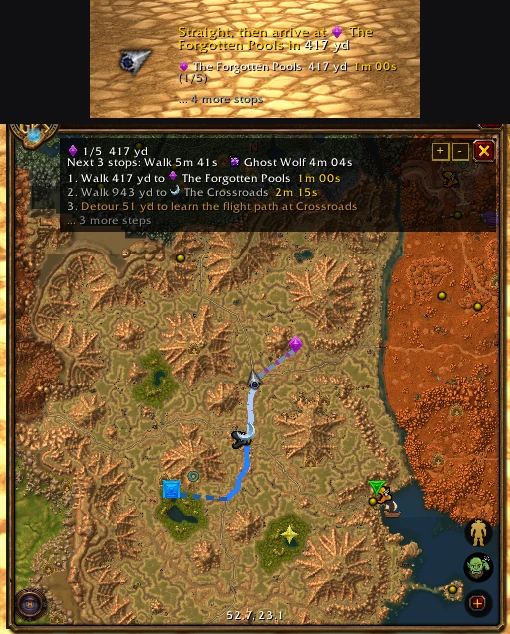
The panel shows how long the trip will take:
-
Walk: at your run speed, including the Speed stat and anything else that makes you faster on foot.
-
Your fastest other way: next to walking, just the quickest other option you have, a mount or a movement ability, so a shaman with Ghost Wolf and riding sees "Walk ... Mount ...".
-
Mount: once your character can ride, at your mount's speed (estimated from your riding skill until you've ridden: journeyman is faster than apprentice).
-
Movement abilities: the ones that count:
- Ghost Wolf (shaman) and Travel Form (druid).
- Cat Form, with the Feline Swiftness talent.
- Aspect of the Cheetah or Aspect of the Pack (hunter), faster with Pathfinding.
While one is on, it becomes the walking time. Its exact speed is learned the first time you use it.
Rides (flights, boats, zeppelins, the tram, lifts) and the waits for them are added on top. The direction arrow shows the ETA to your next stop at whatever speed you're going right now.
While a route is being worked out, you might catch a Murloc, the gnome engineers or a goblin doing the thinking. Don't worry, they're on it.