Flights, Boats and Teleports
Flight paths, boats, zeppelins, the tram, your hearthstone and teleports, and how to leave one out.
Flight paths#
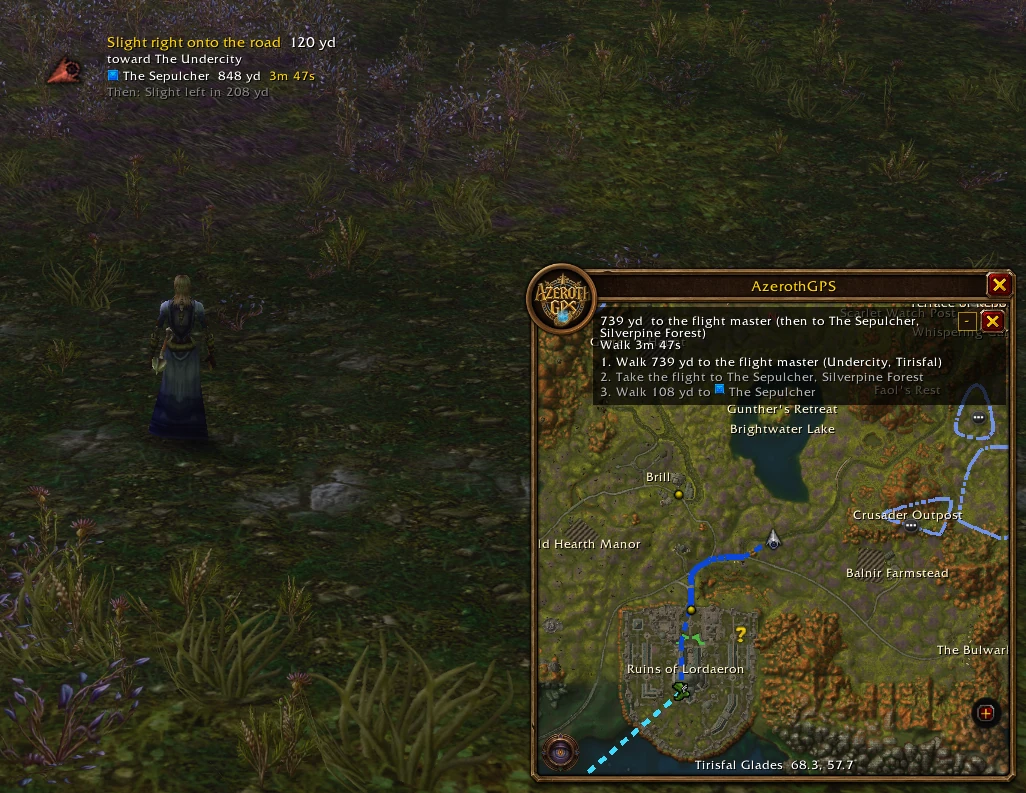
When flying's quicker, the route flies: "Walk to the flight master", then "Take the flight to …", with any connecting flights rolled into one step.
- Learning one on the way: if a flight master of your faction you haven't learned yet is along the way, the route can stop there to learn it and fly on from it.
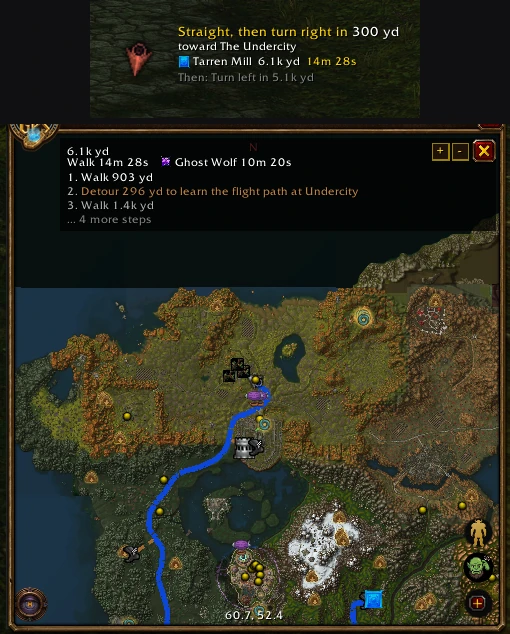
- Passing one: when your walk comes within about 450 yd of a flight master you haven't learned, a brown line on the map shows the little detour to it, and the steps mention it where you pass ("Detour 388 yd to learn the flight path at …", or "Learn the flight path at … (on the way)" when it's right there). Not interested? Right-click the flight master's icon, Remove?, and that detour's skipped for this route (it comes back with a new one). Once you've learned it, later trips can fly from there. A brand-new character with no flight paths yet gets these detours too.
- In the air: the route waits for you to land, and the time left counts toward your ETA. A flight with stops on the way is drawn through them, and its countdown follows that path.
- Flight times start out as estimates and switch to your own recorded times once you've flown them.
Open the flight map at any flight master once, so AzerothGPS knows which flight paths your character has.
Boats and zeppelins#
Boats and zeppelins are part of the route, with where to board them. Only the ones your faction can take get used.
- Docks on the map: with points of interest on, every dock shows up. Double-click one to make it a stop.
- Arrival countdowns: once you've ridden a boat or zeppelin, its dock icon counts down to its next arrival, worked out from its timetable and when you saw it leave. (The game doesn't tell addons where they are, so it needs that one ride to start.) After a server restart the times can be off: ride it once more and they're right again.
- On board: once it pulls away from the dock, it works like a flight. The panel and the arrow say "Riding the zeppelin to Brill, arrives in 1m 15s", counting down the whole way (loading screen included), and the walk on from the other dock comes after it.
- Never use one: right-click a dock, Don't Use, and routes leave that zeppelin or boat out for good (the dock stays, faded). Right-click it again, Use It, to bring it back. Options → Routing lists every zeppelin, boat and the tram your faction can take, each with a checkbox. For just the route you're on, right-click the ride's icon on the route instead (Remove?, below).
- Share the times: Shift + left-click a dock whose timetable is known (or the route's ride icon there) and a line like "Zeppelin from Brill to Grom'gol Base Camp: arrives in 2:10, leaves in 3:10" goes in your chat box. Nothing is sent until you press Enter.
The Deeprun Tram#
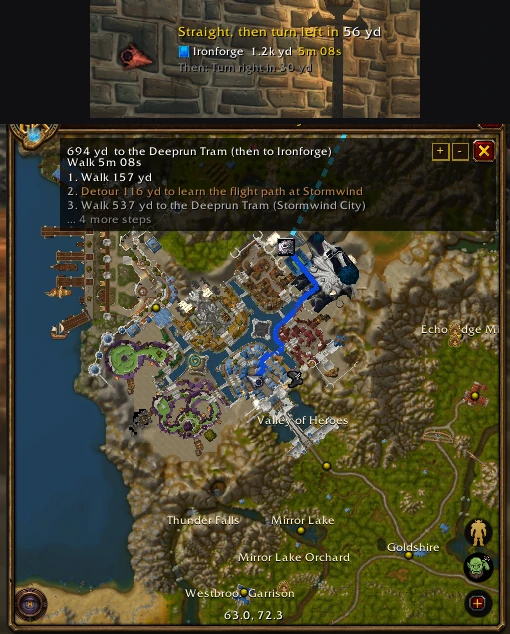
For Alliance characters, the tram between Stormwind and Ironforge is part of the route whenever it's quicker: "Walk to the Deeprun Tram", then "Take the tram to Ironforge". Its time includes the loading screens, the walk to the platform, the average wait for a train and the ride itself. While you're on it, the route waits for you to come out the other end.
Hearthstone and teleports#
A trip can use your Hearthstone, Astral Recall, a mage teleport, Teleport: Moonglade, or an engineer's Dimensional Ripper - Everlook or Ultrasafe Transporter: Gadgetzan (with the specialization that uses it) when it's ready and saves more than 800 yd. It goes on whichever leg saves the most, once per trip.
- AzerothGPS knows your inn. When the next step is "Use your Hearthstone" (or a teleport), a button with its icon sits in the corner of the directions, and in the direction arrow's window too. Click it to use it. Nothing ever gets used without your click, and the button hides in combat.
- The hearthstone quick button turns this on or off.
- A shaman with Astral Recall ready gets that instead of the hearthstone (it goes to the same inn), so your hearthstone stays ready for later.
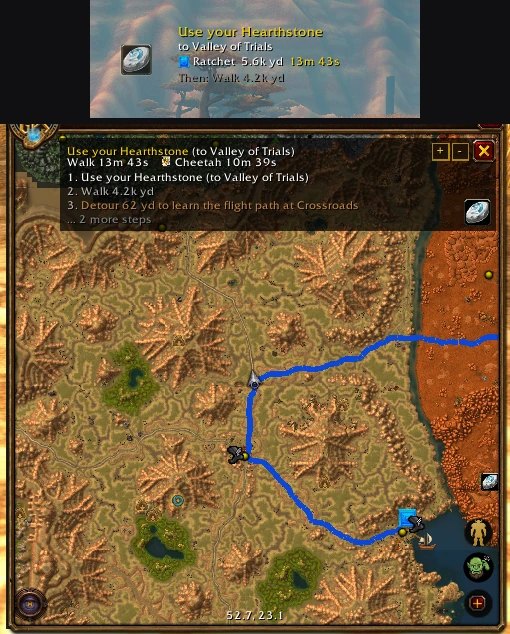
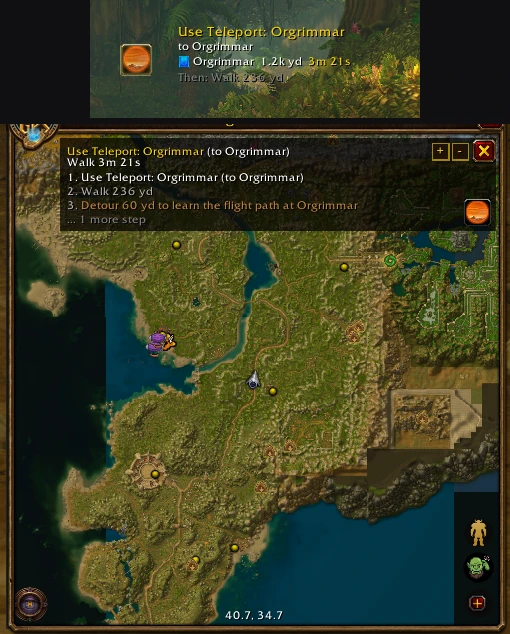
Leaving a ride out of a route#
Every flight, boat, zeppelin, tram and teleport a route takes has its icon on the map where you board it (a teleport's sits where it lands). Don't fancy that one? Right-click the icon and click Remove?. The route gets worked out again without it, and it stays out for as long as you follow this route, through recalculations and /reloads, until you set a new one.
- Flights: each flight master a flight passes over has its own icon, and Remove? on one leaves out just that hop (both ways). A longer flight that connects through it can't be taken on this route either, so you might fly a different way or walk.
- Boats, zeppelins and the tram: just that line, both ways. Other boats and zeppelins are still fair game.
- Hearthstone and teleports: that one, for this route.
If the new way there walks through zones way above your level, you'll get the usual "Keep this route?" first (see Staying Safe). And if leaving rides out means there's no way there at all (say, another continent with the boat removed and no teleport to fall back on), you'll see Route not possible without that ride, with the option to put it back.