Fixing the Map
Draw in a missing trail or a wall, and send it in so everyone gets it.
Found a trail the routes keep missing, a "road" that isn't really there, or a fence they walk straight through? Fix it on your own map, then send it in so everybody gets the fix.
Road tools#
Options → Tools (or /agps dev) puts a Road Tools button on the map. Click it (the road network shows while it's on), then:
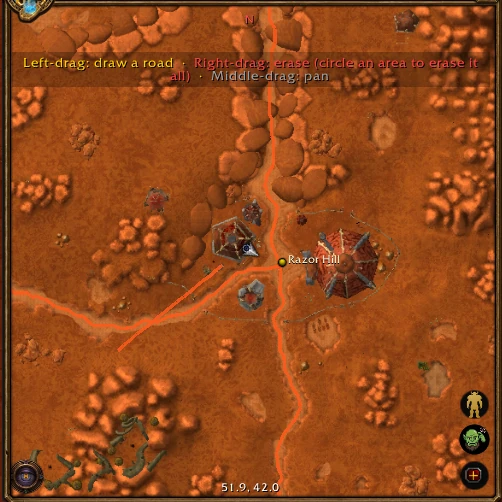
- Left-drag along a trail the routes miss. Routes use it right away, joined up to the roads it meets (where it runs along one, it replaces that stretch).
- Right-drag over a "road" that isn't really there, or circle an area to erase every road inside it.
- Middle-drag to pan.
Click the button again when you're done.
Wall tools#
The Wall Tools button (also Options → Tools) does the same thing for stuff routes can't walk through (the walls show while it's on).
- Left-drag along a wall, fence or cliff the routes try to cross, and they'll go around it like a mountain. A road crossing a wall gets cut there, so leave a gap for a gate. Flights still fly over.
- Right-drag to erase walls. It can also open up a mountain edge the map has wrong.
Want to see the roads and walls with the tools off? Click Show Roads and Walls (the map button under Undo): you get the road network, plus everything routes treat as impassable in blood red (cliffs and steep slopes, buildings, and the walls).
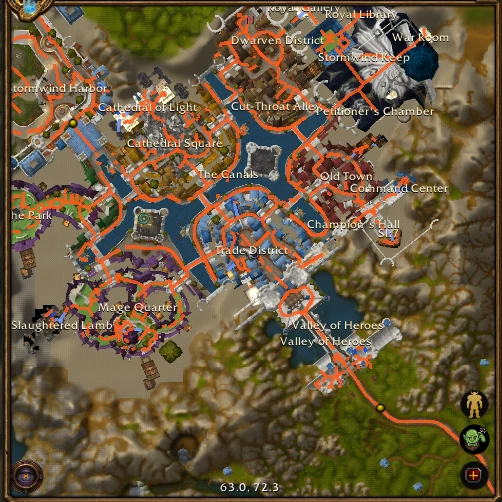
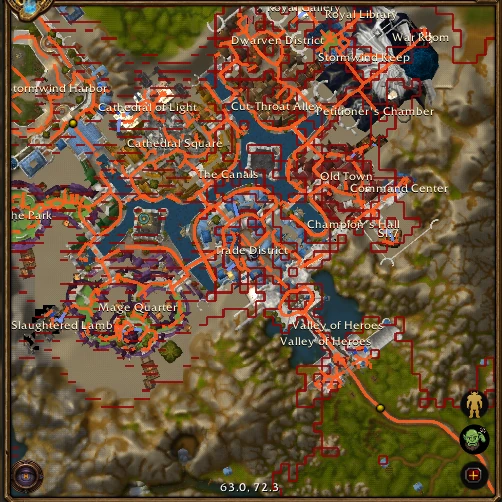
/agps draw undo (or the Undo button) takes back your last change, road or wall, whichever came last.
Floors over floors#
In Undercity, under Orgrimmar's Drag and Stormwind's bridges, and in caves and mines, roads stack on top of each other. With the road or wall tools on, hold Shift and turn the mouse wheel to pick the floor you're fixing, from the floors where the map is centered. The hint under the map tells you which one ("Editing: floor 2 of 3 here, counting up"), that floor's roads and walls are drawn bright and the others faint, and whatever you draw or erase only changes that floor. Until you pick one (and once you turn the tools off), edits change every floor.
Sending your fixes#
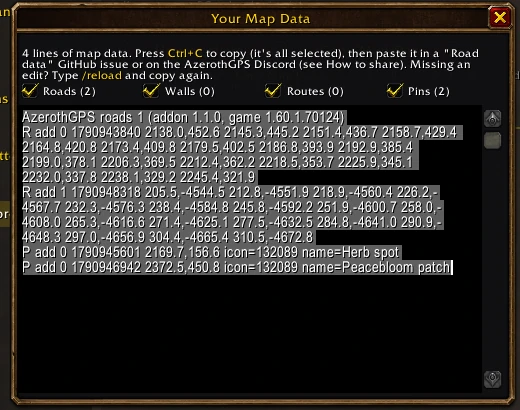
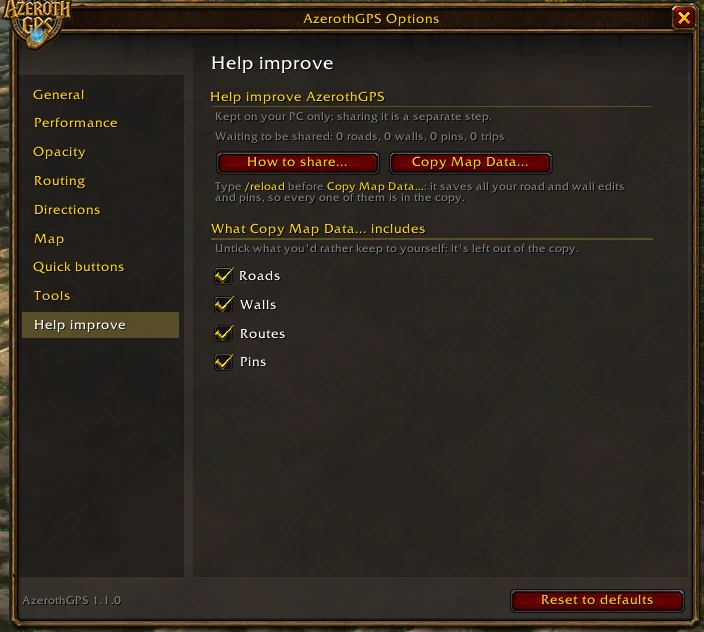
Type /reload first. It saves all your edits, so every one of them ends up in the copy. Then go to Options → Help improve → Copy Map Data..., press Ctrl+C, and paste it in either place:
- The report form: on azerothgps.com's feedback page.
- Discord: the AzerothGPS Discord.
Say which zone it is and what you fixed.
What's in the copy: the window has a checkbox for each kind, with how many you've got: Roads, Walls, Routes (the ways you went when you beat the estimate, kept as you play) and your Pins. They're all ticked; untick one to leave it out (the same checkboxes are on the Help improve page). Dungeon entrances the addon learned while you played always go along. Roads and walls that check out go into a later version for everyone.
Nothing leaves your PC until you paste it somewhere yourself. See Privacy and Fair Play.